

Rob Run Vehicle ESP for Cars, Vans and Helicopters
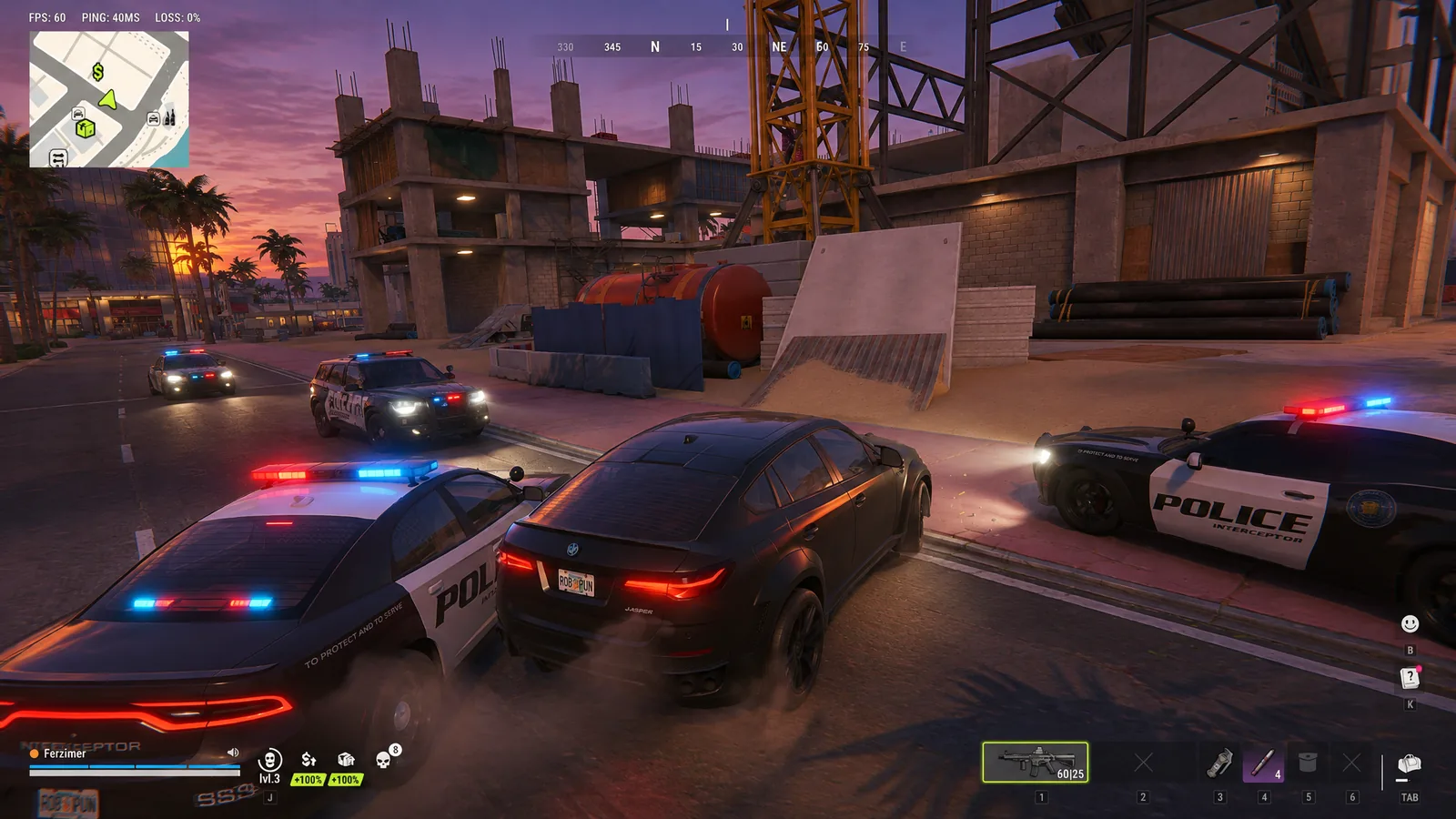
The job went loud, the getaway driver is down and you need a car in the next ten seconds. Running blind round a block hoping for an unlocked ride is how escapes end in handcuffs.
With Rob Run vehicle ESP you already know where every car is parked. Astrion puts it in Rob Run Disconnect, and it marks cars, police cars, vans and helicopters through buildings, with an owner name and a distance on each.
Rob Run Vehicle ESP Marks Every Car and Van
Call it a Rob Run wallhack for transport. Vehicle ESP is the master switch, with Car ESP and Van ESP underneath it. Each type toggles on its own through Individual ESP Toggles, so a van hunt doesn't fill your screen with every hatchback in the city.
Steam's description mentions storing vehicles in your base, which makes Rob Run vehicles worth tracking as loot as well as transport. Rob Run vehicle ESP shows you what's parked nearby before you commit to stealing it.
Rob Run Police Car ESP When the Chase Starts
Police Car ESP gets its own entry, and it's the one you'll want on during a run. Rob Run cops are real players, so seeing their cars through the next block tells you which street to avoid before the sirens find you.
Pair it with player markers. The Rob Run ESP guide covers role colours for spotting Rob Run police on foot, plus the In Vehicle Indicator that shows when a player is sitting in a car.
Rob Run Helicopter ESP Over the City
Helicopter ESP marks helicopters on your screen with distance attached, and with Rob Run vehicle ESP set to helicopters only, the sky is the only thing you're reading. One overhead changes the whole fight, so knowing where it is, or where an empty one is parked, is worth a lot more than another ammo box.
Object Distance Display adds range to each vehicle marker and Independent Render Distance lets vehicles draw further out than smaller objects. That's handy when you want air traffic at range and nothing else. Keep the Rob Run radar up as well so you know who's waiting wherever it lands.
Rob Run Vehicle Owner ESP and Death Boxes
Vehicle Owner Display puts a name over each vehicle in Rob Run vehicle ESP. That tells you whether you're about to borrow a stranger's ride or poke the biggest clan on the server, and whether it's one of your own crew's cars.
Vehicle Death Boxes is in the same block of this Rob Run cheat, alongside Bodybag ESP and its Bodybag Despawn Timer. Custom Vehicle Colors give each type its own shade in Rob Run vehicle ESP, so a cop car never looks like your mate's van at a glance.
Grab Rob Run Vehicle ESP With the Full Build
You get it in the same external build as the aimbot, loot ESP and chams. Pick it up from our Rob Run cheats range on a 1, 3, 7 or 30 day key, or read the Rob Run hacks page for everything it covers.
Nobody can tell you which are the Rob Run best cars from an overlay, but the markers put every one parked within range on your screen so you can go and check yourself. Rob Run vehicle ESP does the finding, you do the choosing. It's hidden from game capture, too.
Easy Anti-Cheat on Rob Run sits at kernel level, and anything in our Rob Run cheats range can get an account banned. Driving straight to a car Rob Run vehicle ESP spotted three streets away, every single time, is a giveaway. Take the scenic route now and then.
Rob Run Vehicle ESP FAQ
Does Rob Run vehicle ESP show who owns a car?
Yes. Vehicle Owner Display puts the owner's name over each vehicle.
Can I track helicopters but hide normal cars?
You can. Car, police car, van and helicopter markers toggle separately, so leave only helicopters on if that's all you want.
Does vehicle ESP show players inside a car?
That's the In Vehicle Indicator in the player visuals. Run it next to vehicle markers and you'll see occupied cars as well as empty ones.
Is Rob Run Disconnect undetected right now?
Its status on the Astrion status page is Undetected today. That can change at any time, so check it before each session.
