
Wardog - Disconnect
- Windows 10/11
- Intel/AMD
- Secure Payment
- Instant Delivery
- 24/7 Support
Customer Reviews
Write a reviewNo reviews yet. Be the first to review this product.
Features
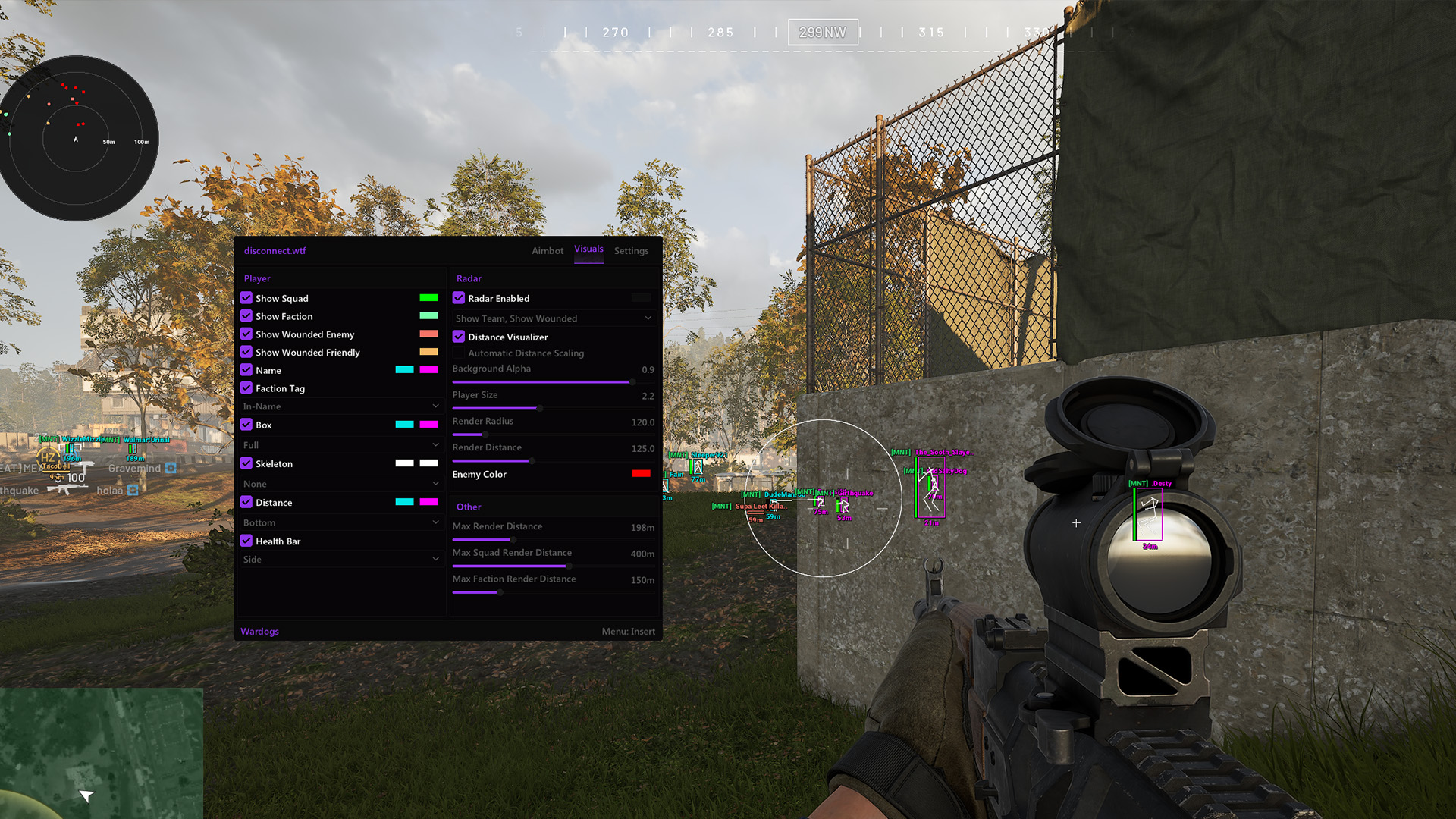
Wardog - Disconnect includes aimbot, player ESP, loot rarity filters and off-screen arrows, with saved configurations and keyboard or gamepad keybinds.
Aimbot
-
Aimbot Settings
Set the aim key, target bone, smoothness, FOV and maximum distance. Apply visibility, teammate and knocked-player filters.
- Aimbot Enabled
- Aimbot Key
- Target Bone
- Smoothness
- Max Distance
- Visible Check
- Ignore Knocked
- Ignore Teammates
- Draw FOV
- FOV Color
- FOV
- Target Line
- Target Crosshair
- Target Selection
- Keyboard Keybinds
- Gamepad Keybinds
Player ESP
-
Player ESP settings
Display player names, distance, weapons, skeletons and box outlines. Set different colours for visible and hidden players.
- Player ESP
- Hide Teammates
- 2D Box
- 3D Box
- Corner Box
- Max Distance
- Skeleton
- Visible Color
- Hidden Color
- Box Thickness
- Name
- Distance
- Weapon
- Rank
- Platform
- Spectators Panel
Loot & World
-
Loot ESP
Choose loot rarity filters and the maximum distance at which loot appears.
- Loot Enabled
- Loot Max Distance
- Common
- Uncommon
- Rare
- Epic
- Legendary
- Mythic
- Exotic
- Special
Out Of FOV
-
Off-screen player arrows
Set the colour, radius, length, width and fill of off-screen player arrows.
- Player OOF Arrows
- Arrow Color
- Filled
- Outline
- Arrow Radius
- Arrow Length
- Arrow Width
Misc
-
Interface & Performance
Set font size, DPI scaling, VSync and the FPS cap.
- Font Size
- VSync
- FPS Cap
- DPI
- Auto Scale
-
Configuration
Create, save and reset your configurations.
- Create Config
- Save Config
- Reset Config
- Config List
-
Controls
Set the menu key and Combat Mode keybind.
- Combat Mode
- Combat Mode Bind
- Menu Bind
